How to Tell If a Website Is Legit: 8 Steps
Posted on August 17 2026

Table of Contents
- Why Knowing If a Website Is Legit Matters for Online Shoppers
- How to Check If a Website Is Secure Before Entering Payment Details
- Inspect the URL, Domain Name, and Domain Age
- How to Spot a Fake Online Boutique Before You Buy
- Use Online Reputation and Blocklist Tools to Verify a Site
- Mobile-Specific Red Flags and AI-Generated Scam Sites
- Reporting Online Fraud to the Canadian Anti-Fraud Centre
- How to Tell If a Website Is Legit: A Quick Checklist
Last Updated: August 17, 2026
Why Knowing If a Website Is Legit Matters for Online Shoppers
Knowing how to tell if a website is legit is one of the most practical skills any online shopper can have. Online fraud targeting shoppers has grown steadily, and fraudulent sites have become harder to distinguish from real ones. The good news: concrete, reliable signals separate legitimate online retailers from scam operations.
A website is legit when it can be verified through multiple independent signals: a valid SSL certificate, a traceable domain registration, consistent contact information, a clean reputation across third-party tools, and transparent policies. No single check is foolproof. The combination is what counts.
How to Check If a Website Is Secure Before Entering Payment Details
The first thing to verify before entering any payment details is whether the site uses an encrypted, secure connection.
Look for HTTPS and a Valid SSL Certificate
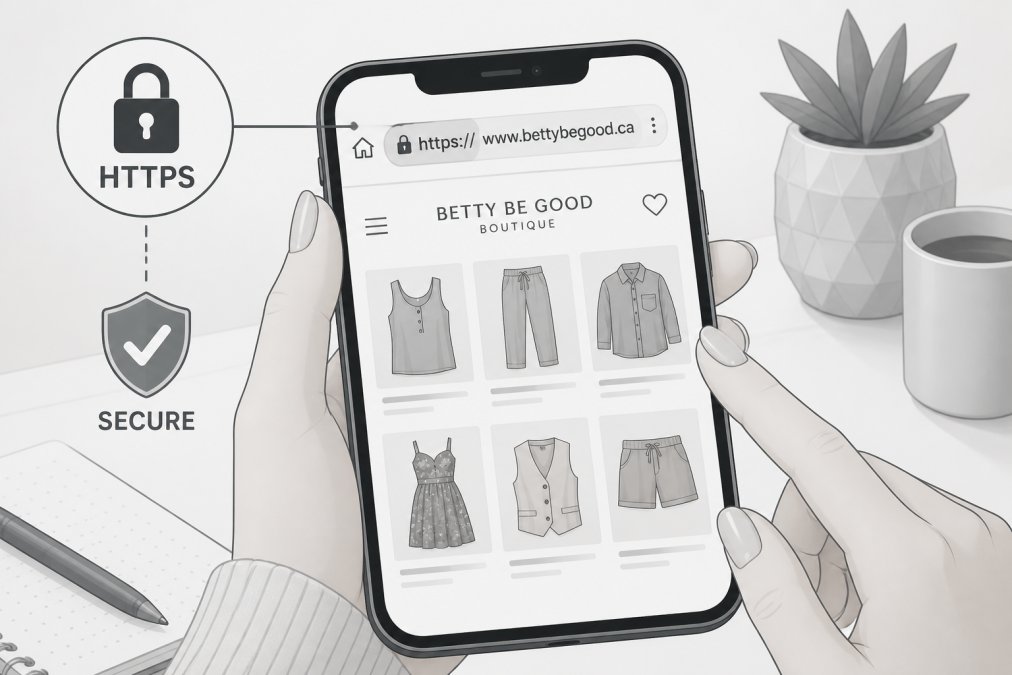
HTTPS (HyperText Transfer Protocol Secure) means the data you send between your browser and the website is encrypted. Look at the URL in your browser's address bar: it should begin with https://, not http://. The "S" signals that an SSL (Secure Sockets Layer) certificate is active.
To inspect the certificate, click the padlock icon in the address bar. You'll see details about who issued the certificate and when it expires. A valid SSL certificate issued to a named organization is a good sign. A certificate that's expired, issued to a different domain, or flagged as "not trusted" by your browser is a serious red flag.
One important caveat: HTTPS alone does not mean a website is legit. Scammers can and do obtain SSL certificates for fraudulent sites. HTTPS confirms your connection is encrypted; it does not confirm the business on the other end is honest. Treat it as a necessary condition, not a sufficient one.
Check Your Browser's Security Warnings
Modern browsers including Chrome, Firefox, and Safari run active threat intelligence checks against known malicious sites. If your browser throws up a full-screen warning about a site being "deceptive" or "dangerous," take it seriously. These warnings are triggered by blocklist databases that track phishing sites, malware distributors, and fraudulent domains.
According to Google Safe Browsing documentation, the Safe Browsing service identifies thousands of unsafe sites every day. If a site triggers this warning, leave immediately.
Inspect the URL, Domain Name, and Domain Age
URL spoofing is one of the oldest tricks in the phishing playbook. A fraudulent site might use a domain like amaz0n-deals.com or bestbuy-clearance.net to mimic a trusted brand. Read the full URL carefully, not just skim it.
Look for these specific red flags in any URL:
- Misspellings or character substitutions (0 for O, 1 for l)
- Extra words appended to a real brand name (
nike-outlet-canada.com) - Unusual top-level domains (
.xyz,.top,.club) - Hyphens used to break up a legitimate-sounding phrase
Use a WHOIS Lookup to Check Domain Registration
Domain age is a signal most shoppers never think to check. A legitimate boutique operating for years will have a domain registered years ago. A scam site spun up last week will have a domain registered last week.
Use a WHOIS lookup tool to check when a domain was registered and who registered it. According to ICANN WHOIS lookup service, domain registration data is publicly accessible and includes the registration date, registrar, and sometimes the registrant's country. A domain registered within the last 30-60 days for a site claiming to be an established retailer is a major warning sign.
Also check whether the registrant's contact information is fully hidden behind a privacy proxy with no other verifiable details. A brand-new domain with complete anonymity and no other trust signals warrants serious skepticism.
How to Spot a Fake Online Boutique Before You Buy
The most common mistake when evaluating an online boutique is focusing only on aesthetics. A slick-looking website is not evidence of legitimacy. Modern site-building tools make it trivially easy to clone the visual design of a real retailer in hours.
Grammar Errors, Stock Photos, and Unrealistic Prices
Three content-level signals are consistently present on fraudulent boutique sites:
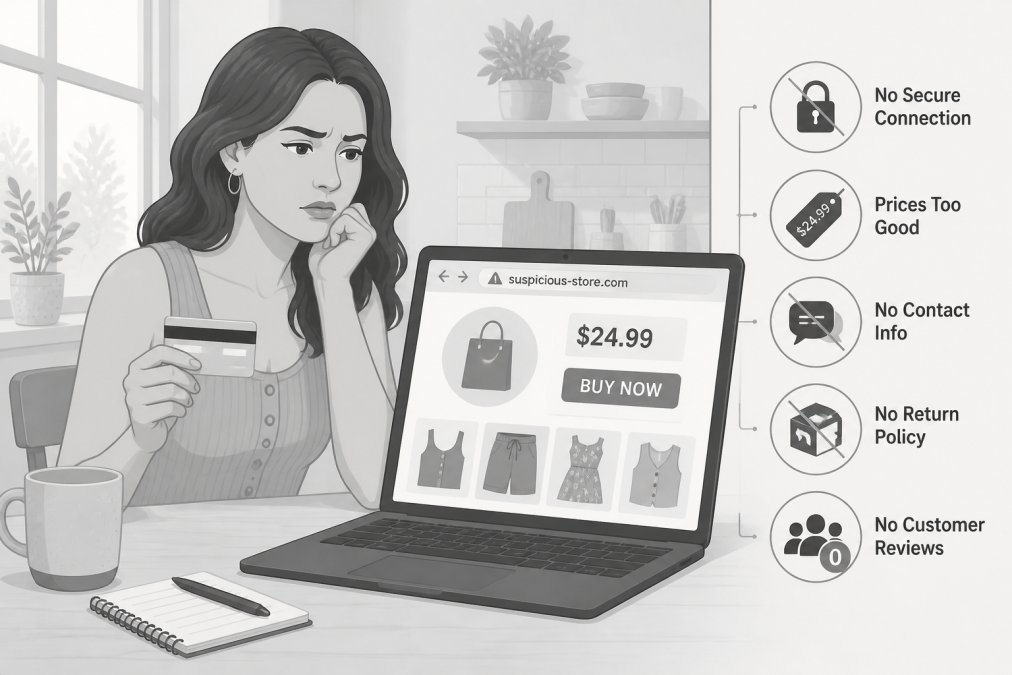
Grammar and spelling errors throughout product descriptions, policy pages, and contact pages suggest the site was built quickly or auto-generated using low-quality tools.
Reverse image search every product photo you're unsure about. Right-click any product image and choose "Search image" (in Chrome) or use a dedicated reverse image search tool. If the same photo appears on dozens of unrelated sites, it's a stock image or stolen photo, not a picture of actual inventory.
Pricing that defies logic is the clearest red flag of all. A site offering brand-name goods at a fraction of their normal price, with no credible explanation, is almost certainly fraudulent.
Verify Contact Information and a Physical Address
A legitimate business can be reached. Check the site's Contact page for:
- A physical mailing address (not just a contact form)
- A working phone number or email address
- Response times that match what's promised
Copy the physical address and paste it into a map application. Does it correspond to a real commercial location? A "boutique" whose address resolves to a vacant lot or residential building in another country is a warning sign. Verify that customer support contact methods actually work by sending a test inquiry before placing an order.
| Signal | Legitimate Site | Suspicious Site |
|---|---|---|
| SSL Certificate | Valid, current, matches domain | Expired, missing, or mismatched |
| Domain Age | Months to years old | Registered days or weeks ago |
| Contact Info | Physical address, working phone/email | Form only, no address, no response |
| Product Photos | Original, consistent branding | Stolen stock images, inconsistent |
| Pricing | Reasonable, explained | Implausibly low, no context |
| Policies | Detailed return and privacy policy | Missing, vague, or copy-pasted |
| Social Media | Active accounts with real engagement | No presence or fake followers |
Use Online Reputation and Blocklist Tools to Verify a Site
Third-party reputation tools give you a view of how a site is perceived outside its own pages. A fraudulent site cannot control what other platforms say about it.
Useful tools include:
- Google's Safe Browsing checker: Paste any URL into Google's Transparency Report site status tool to see whether the site has been flagged for malware or phishing.
- Trustpilot or similar review aggregators: Search for the site name and read recent reviews. Look for patterns: multiple reviews within a short window, generic praise, or complaints about non-delivery.
- WHOIS and domain reputation databases: Several free tools aggregate domain reputation data, blocklist status, and historical records.
- The Better Business Bureau (BBB Canada): Check whether the business has a BBB profile and what its rating and complaint history look like.
Sort reviews by most recent and lowest-rated. Scam sites often have a burst of fake positive reviews early on, followed by complaints about orders that never arrived.
Mobile-Specific Red Flags and AI-Generated Scam Sites
On mobile devices, several red flags are harder to spot. The address bar is compressed, making URL spoofing easier to miss. Malicious redirects are more common on mobile browsers.
Specific mobile checks to run:
- Expand the address bar fully before entering any information.
- Be skeptical of any site you reached through a social media ad or direct message link.
- If a site asks you to install a profile or app outside the App Store or Google Play, leave immediately.
AI-generated scam sites are a growing threat. Generative AI tools now make it possible to produce convincing product descriptions, fake reviews, and fabricated "About Us" stories in minutes. The tells are subtler:
- Product descriptions that are fluent but oddly generic, lacking specific brand or material detail
- "About Us" pages that read like a template with no real story or named founders
- Fake review text that uses similar phrasing across multiple reviews
The best defense is the combination of checks in this guide: domain age, WHOIS data, reverse image search, and reputation tools. No AI can fake a three-year-old domain registration or genuine third-party reviews accumulated over time.
Reporting Online Fraud to the Canadian Anti-Fraud Centre
If you've encountered a fraudulent website or fallen victim to an online shopping scam, reporting it matters. Reports help authorities identify patterns, shut down scam operations, and warn other shoppers.
The primary reporting body for online fraud is the Canadian Anti-Fraud Centre (CAFC), operated jointly by the Royal Canadian Mounted Police (RCMP), the Competition Bureau, and the Ontario Provincial Police. You can submit a report through their official platform regardless of whether you lost money.
Steps to take after encountering a fraudulent site:
- Document everything: screenshots of the site, order confirmation emails, payment records, and communications.
- Contact your bank or credit card issuer immediately if you've made a payment. Many card issuers can initiate a chargeback for fraudulent transactions.
- Report the site to the CAFC through their online reporting tool.
- Report the domain to the registrar for abuse review.
- Flag the site in Google's Safe Browsing report tool.
Payment method safety note: Credit cards offer stronger fraud protection than debit cards or e-transfers for online purchases. If a site accepts only wire transfers, cryptocurrency, or gift cards as payment, treat that as an immediate disqualifying red flag.
How to Tell If a Website Is Legit: A Quick Checklist
Here's a consolidated checklist you can run through in under five minutes before placing any online order.
Security basics:
-
URL begins with
https:// - Padlock icon is present and certificate is valid and current
- Browser shows no security warnings for the site
Domain and identity:
- Domain name has no misspellings or suspicious characters
- WHOIS lookup shows the domain is at least several months old
- Domain registration details are consistent with the claimed business
Content quality:
- No significant grammar or spelling errors on key pages
- Product images pass a reverse image search (not stolen from other sites)
- Pricing is plausible for the product category
Contact and policies:
- A physical address is listed and verifiable on a map
- A working phone number or email address is provided
- A clear return/refund policy and privacy policy exist
Reputation:
- Site has no flags on Google's Safe Browsing checker
- Third-party reviews exist and are consistent over time
- No pattern of complaints about non-delivery or fraud
Payment:
- Site accepts credit card through a recognized payment gateway
- No demand for wire transfer, cryptocurrency, or gift card payment
If a site fails more than two of these checks, step away. The risk is not worth it.
Shopping online should feel exciting, not nerve-wracking. Fraudulent sites are getting more convincing, and the burden of verification increasingly falls on the shopper. Betty Be Good Boutique ships domestically within Canada, maintains a physical boutique location, and offers transparent policies. Shop the Betty Be Good Boutique collection and experience what a genuinely legitimate online boutique looks like.
Frequently Asked Questions
What are the most common red flags of a fake online store?
The clearest red flags include missing HTTPS encryption, a domain registered only days or weeks ago, no physical address or working phone number, prices that seem too good to be true, poor grammar and spelling throughout the site, and no privacy policy or terms of service page. Fake stores also frequently use stolen product photos and offer only wire transfer or cryptocurrency as payment options, both of which are nearly impossible to recover if something goes wrong.
How do I know if a website is secure for credit card payments?
Check that the URL starts with HTTPS and that your browser shows a padlock icon in the address bar, these confirm an active SSL certificate is encrypting your connection. Also look for a recognized payment gateway on the checkout page. Avoid entering card details on any site that triggers a browser security warning, uses only untrackable payment methods, or lacks a clear returns and refund policy. A legitimate boutique will always offer a standard, traceable payment option.
How can I verify if a Canadian business is registered?
You can search the Canada Business Registries through the federal government's online portal, or check provincial registries such as BC Registry Services for businesses operating in British Columbia. A registered business will have a legal business name on file. You can also look up the business on the Better Business Bureau's Canadian directory, check for a GST/HST number on invoices, and confirm the physical address matches a real location using a mapping service.
Are there free tools to check if a website is malicious?
Yes. Google Safe Browsing's transparency report lets you paste any URL to see whether it has been flagged for phishing or malware. The Canadian Centre for Cyber Security also publishes threat advisories. Browser extensions from reputable cybersecurity providers can block known malicious sites automatically. WHOIS lookup tools are free and show domain age and registration details, which helps identify newly created scam sites before you enter any personal or payment information.
This article was written using GrandRanker


0 comments